
01
Market → Functional → Product 3-tier navigation
2546 features
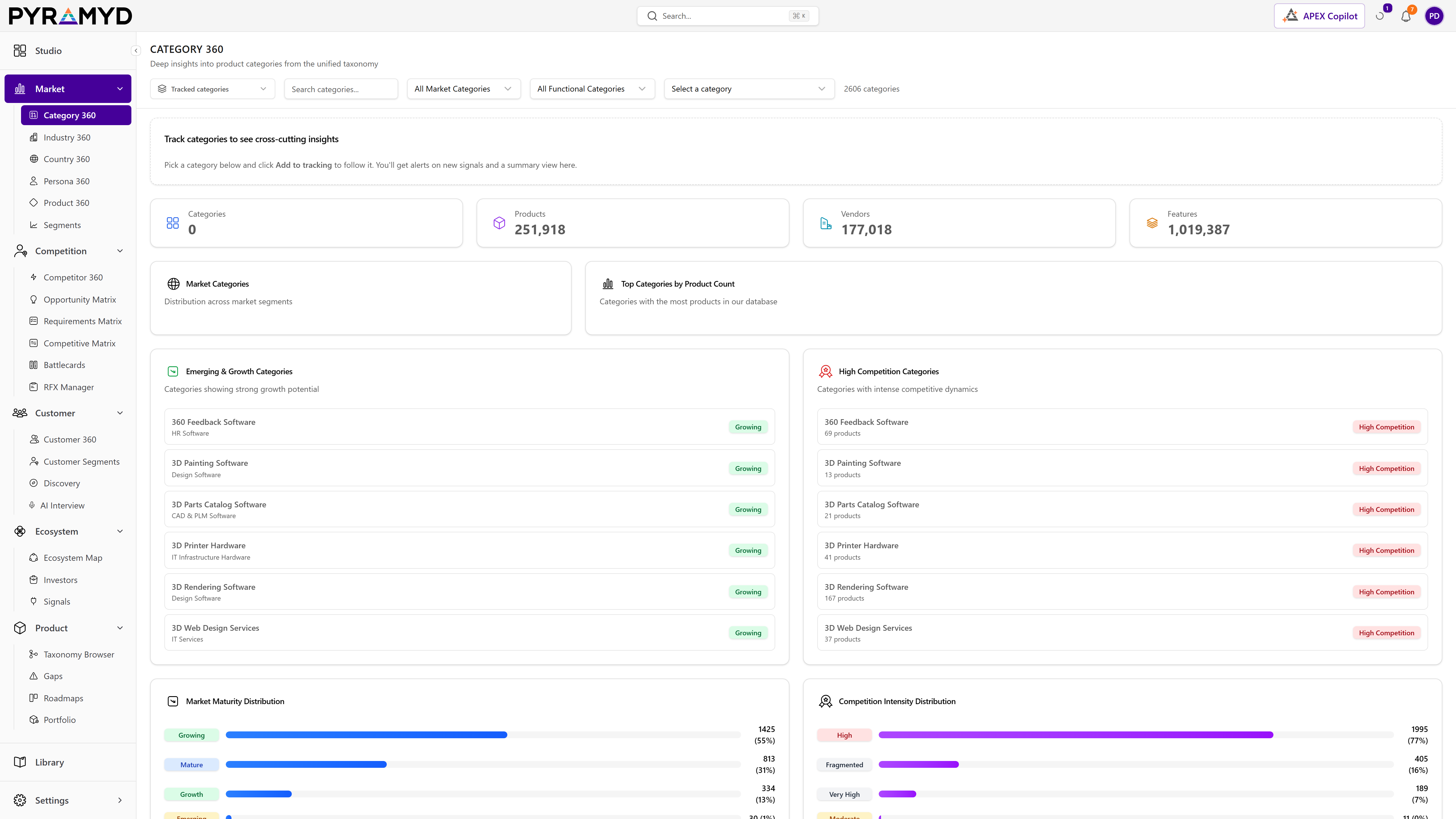
Every category sits inside a market_category → functional_category → product_category hierarchy (2,546 leaves). Filters apply at any level and cascade downward.

Explore hub
GA2,546 software categories. Concentration, leaders, top products, refresh weekly.
What it is
2,546 software categories. Concentration, leaders, top products, refresh weekly.
See it in the product
Top 4 capabilities
Each capability is the parent of dozens of typed features in the production taxonomy. Hover any feature in Studio to drill into the underlying nodes.
2546 features
Every category sits inside a market_category → functional_category → product_category hierarchy (2,546 leaves). Filters apply at any level and cascade downward.
Each category surfaces its top products by review_count plus its named market leaders by aggregate score. Refreshed daily from the live products + reviews join.
Per-category Herfindahl-style concentration index, vendor count estimate, and a market_maturity label (emerging / growth / mature / consolidating). Used by Product Ops for whitespace mapping.
Mined from the 2.4M aggregated reviews per category · what buyers actually praise (top_benefits) and what they complain about most often. Direct input to RFP responses and battle cards.
More from the Explore hub

Investor-graph explorer. Per-investor 360 · portfolio, signals, theses.

Every sub-industry showing the software categories that actually serve it, ranked by demand share — 8,701 industry-to-category links, no LLM guesswork.

249 country markets, each able to generate a cited enter / wait / no-go memo from regulation, market access, and the products already serving that market.

Every product as both the standardized capability and the real vendor SKU — with G2, TrustRadius and Gartner crosswalks on the same row, and one click to generate a battlecard.

Every job linked to the tools it actually runs on — 114,341 job-to-capability links — with AI-disruption risk and software spend per seat scored per job.
30-minute walkthrough. We'll filter the workspace to your category and walk through the top capabilities live.