
PYRAMYD
Solutions

Customer Intelligence

GA

Segments

Dynamic audiences across accounts, contacts, products, and reviews — authored in plain English.

5 top capabilities39 featuresIn the Product Graph

What it is

Segments.

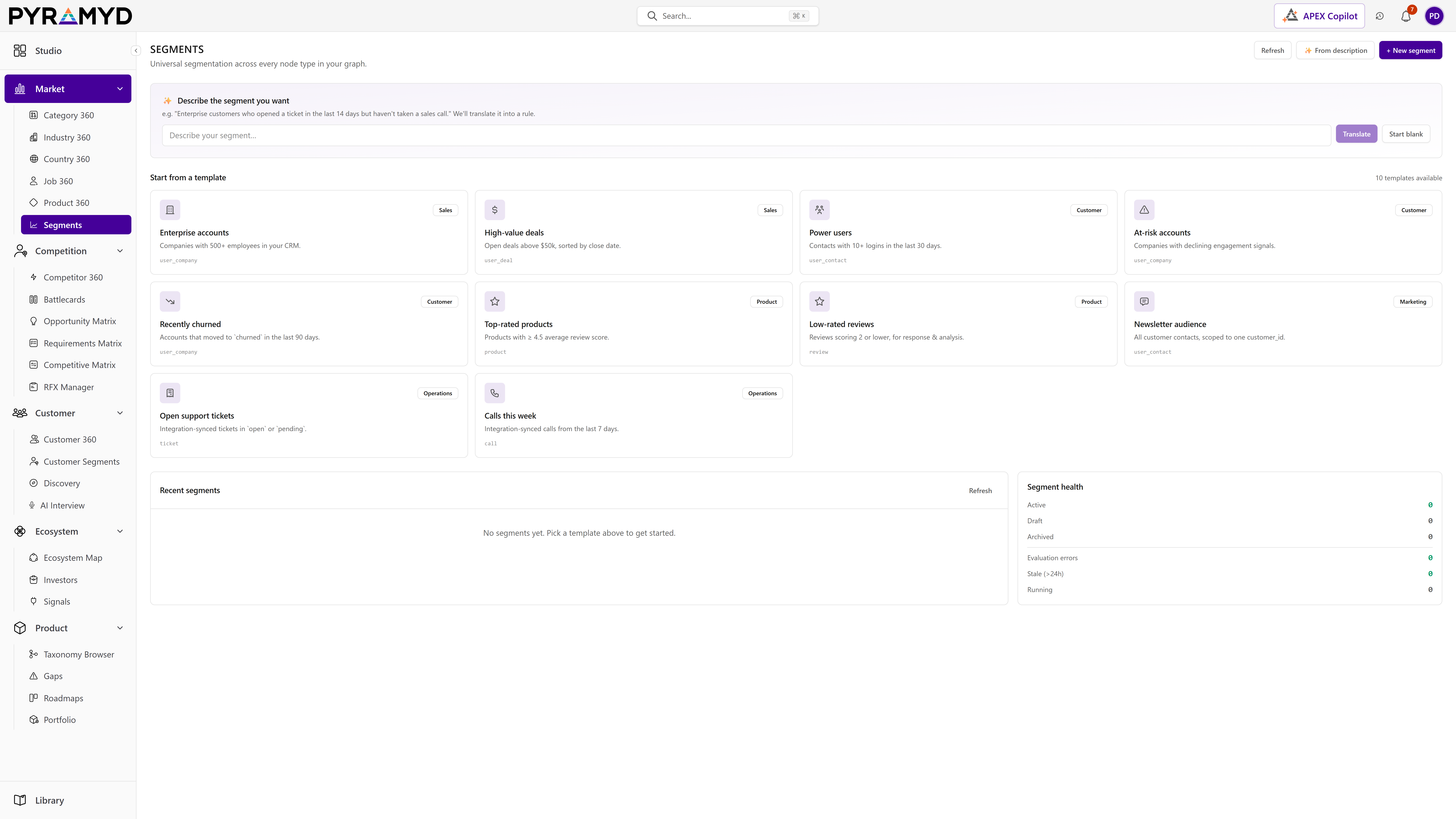
Segments turns the live Product Graph into reusable audiences. A rule-AST engine lets analysts compose audience definitions ("enterprise champions with 4+ stars in the last 90 days who use Salesforce") through a visual builder OR through plain-English prompts handled by the Segment Architect agent. Each segment is a first-class entity with members, rules, insights, relationships, usage analytics, and full edit history. Pre-built segment templates cover Sales, Customer, Product, Marketing, and Operations use-cases so teams ship value the first week.

See it in the product

Segments in the workspace.

Top 5 capabilities

The most-built-out capability set.

Each capability is the parent of dozens of typed features in the production taxonomy. Hover any feature in Studio to drill into the underlying nodes.

01

Rule-AST Engine

11 features

Audience rules compile to a typed predicate tree that respects every node's schema. Add an account filter (size, country, industry), join to contacts (role, seniority), then layer review filters (rating, theme, recency). The visual builder mirrors the AST shape, and the Segment Architect agent accepts a free-text description and emits the same validated tree.

02

Segment Templates

10 features

Ship faster with starting templates: Sales (enterprise champions, expansion targets, churn-risk), Customer (NPS-by-product, recent reviewers, top-renewal-quarter), Product (early adopters, power users, lapsed users), Marketing (ICP fit + intent), Ops (incident-prone, support-heavy).

03

Per-Segment Insights

7 features

The Insights tab profiles every segment automatically. Member-count over time, distribution across the principal axes (size, region, role), per-rule lift contributions, and an anomaly feed when membership shifts more than the configured threshold.

04

Usage Analytics

6 features

Every downstream consumer (a dashboard widget, a Studio Agent, an APEX query, a Salesforce push) registers a usage event. The Usage tab shows which surfaces depend on the segment and prevents accidental deletion of segments that are in active production use.

05

Permission + History

5 features

Segments carry their own permission scope (workspace, team, or individual) and a full edit history with diff view. Roll back to any prior version with a single click; permissions cascade to downstream consumers so an unauthorized user can't view a segment's members via a dashboard widget.

See Segments running against your category.

30-minute walkthrough. We'll filter the workspace to your category and walk through the top capabilities live.