
PYRAMYD
Solutions

Studio

GA

Studio Models

Predictive + analytical models trained on graph entities, surfaced inline.

5 top capabilities58 featuresFrom pyd_product_taxonomy

What it is

Studio Models — in one paragraph.

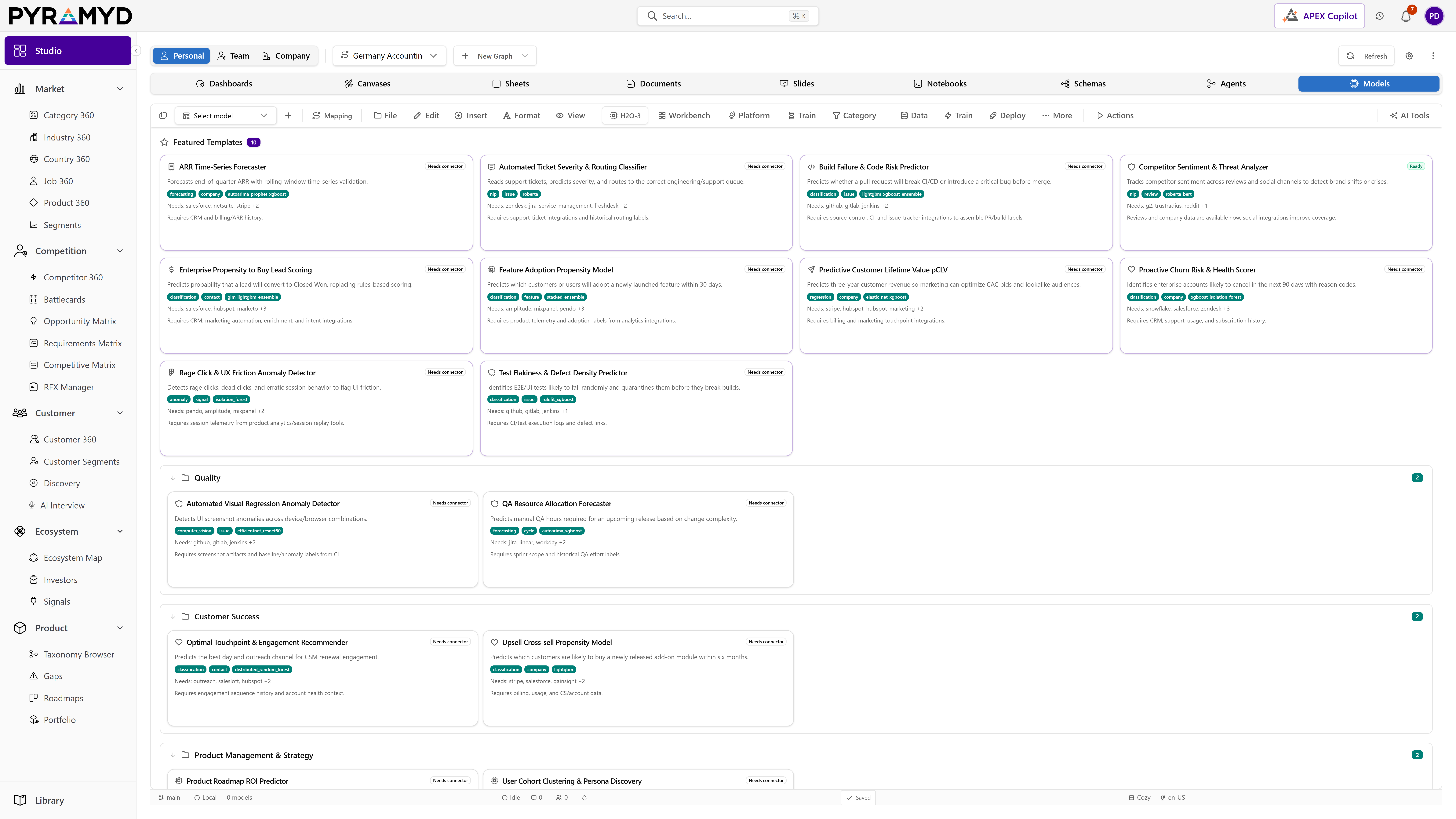
Studio Models for Product Graph is the model authoring and lifecycle module that trains, tunes, interprets, scores, deploys, and monitors machine learning models against pluggable execution backends. It groups capabilities for tabular AutoML, automated deep learning, document intelligence, retrieval-augmented chat, language model fine-tuning, foundation predictions, and model operations alongside graph-native flows for setup wizards, conversational copilot bridging, real-time collaboration, workspace persistence, and node mapping reference. Model state, deployments, predictions, evaluations, alert rules, experiments, and runs persist in row-level isolated graph tables.

Top 5 capabilities

The most-built-out capability set.

Each capability is the parent of dozens of typed features in the production taxonomy. Hover any feature in Studio to drill into the underlying nodes.

01

Tabular Model Training

13 features

Tabular Model Training for Product Graph exposes dialogs and direct dispatch for every supported supervised and unsupervised tabular algorithm, including generalized linear models, gradient boosted trees, random forests, gradient boosting machines, deep learning, naive Bayes, rule fit, generalized additive models, stacked ensembles, k-means clustering, principal component analysis, generalized low rank models, isolation forest, and autoencoders, as well as a fully automated training mode that produces a ranked leaderboard.

02

Copilot Bridge

12 features

Copilot Bridge for Product Graph registers a tool catalogue with the APEX copilot that mirrors every model workbench capability, including train, predict, explain, deploy, schedule retrain, clone, archive, save leaderboard, and refresh. Each natural language request is mapped to a structured tool call against the active execution backend, responses are surfaced inline in the copilot chat, and the same state mutation runs as if the user had clicked through the UI so manual and conversational flows stay in lockstep.

03

Workspace Persistence

12 features

Workspace Persistence for Product Graph persists the model workbench layout, the set of open sub-tools per model, the active engine selection, the active view, and the trained model library state to durable storage so the workbench layout survives reloads, navigations away and back, and new browser sessions. Persistence runs through the shared real-time persistence engine so collaborators see the same canonical workspace state.

04

Tabular Frames

11 features

Tabular Frames for Product Graph wraps the tabular AutoML backend's frame surface so users can import frames from files or databases, inspect frame metadata, run expression-based transformations, split frames into training and validation partitions, combine frames by row or column, derive new columns from text or date sources, and export frames back out. Each action is dispatched as a structured backend call with a validated payload that records the frame identifier, transformation script, and output target.

05

Universal Node Mapping

10 features

Universal Node Mapping for Product Graph is a reference dialog that maps every graph node type to its backing relational table, the table's primary key, the foreign key relationships, the indexes, and the field schema, so engineers and analysts can confirm where node data physically lives and how it is shaped. The dialog runs a live introspection query against the schema so the displayed mapping always reflects the current database state.

See Studio Models running against your category.

30-minute walkthrough. We'll filter the workspace to your category and walk through the top capabilities live.